Apple Watch Voice Recording: The Complete Guide from Wrist to Notes
Everything you need to know about recording on Apple Watch — from capturing meetings and ideas on the go, to automatic transcription and AI summaries on your iPhone.
Why Record on Your Wrist?
Your best ideas don't wait for you to pull out your phone. They happen in hallways, on walks, during commutes. Apple Watch puts a recording studio on your wrist — tap once and capture everything, hands-free.
But a recording is only useful if it becomes something actionable. Speechy bridges the gap: record on your Watch, and your iPhone automatically transcribes, summarizes, and organizes the audio into searchable notes.
Getting Started: Recording on Apple Watch
Speechy's watchOS app is designed for speed. Here's how to start:
- Open Speechy on your Watch — or use a complication on your watch face for one-tap access.
- Tap to record — Audio captures in high-quality M4A format. The Watch's microphone handles conversational distance well.
- Record as long as you need — There's no arbitrary time limit. The Watch stores the recording locally until it syncs.
- Tap to stop — The recording is saved and queued for sync to your iPhone.
How Recordings Sync to iPhone
Speechy uses Apple's Watch Connectivity framework for reliable background transfer. When your Watch and iPhone are in range:
- The audio file transfers automatically in the background
- A new note is created on your iPhone, tagged with "watch" as the source
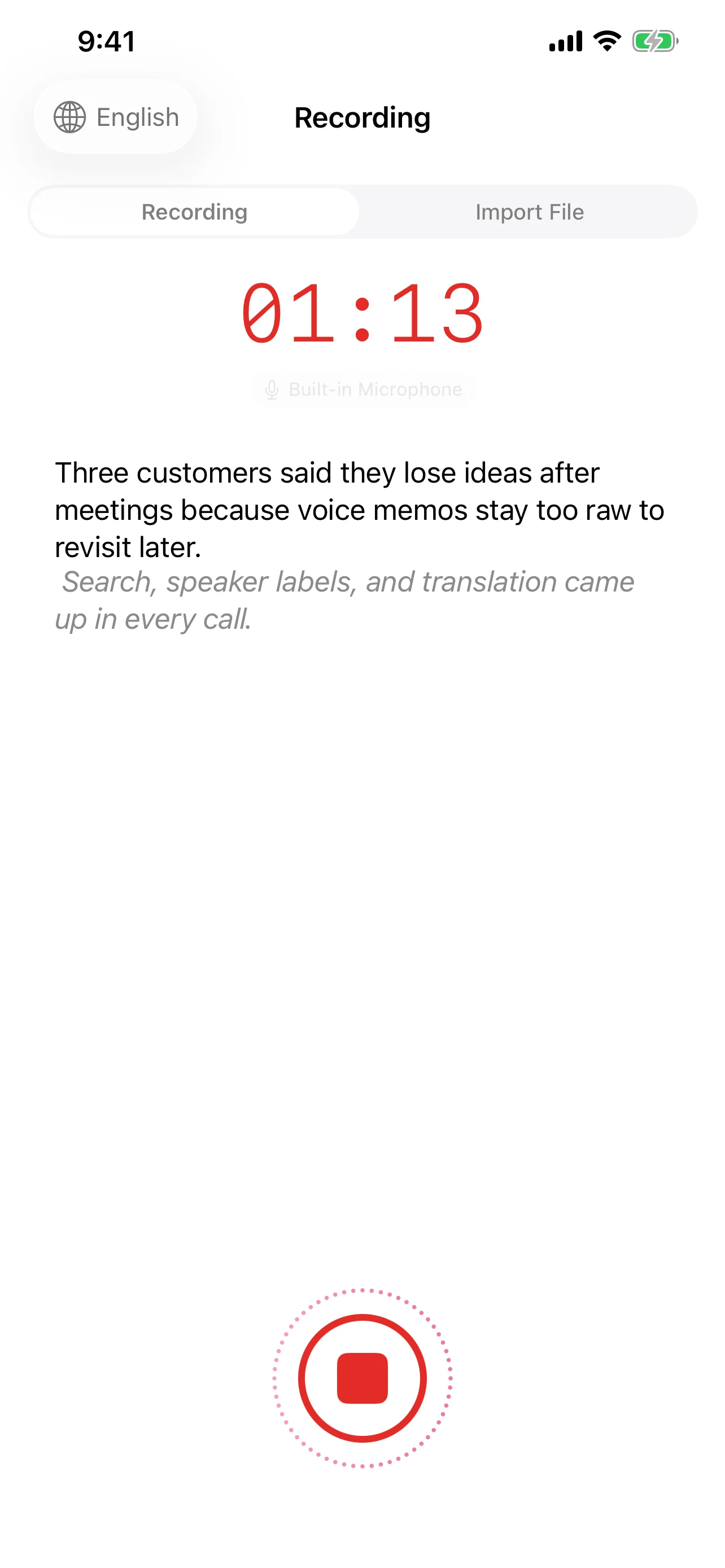
- Transcription begins automatically — no manual step required
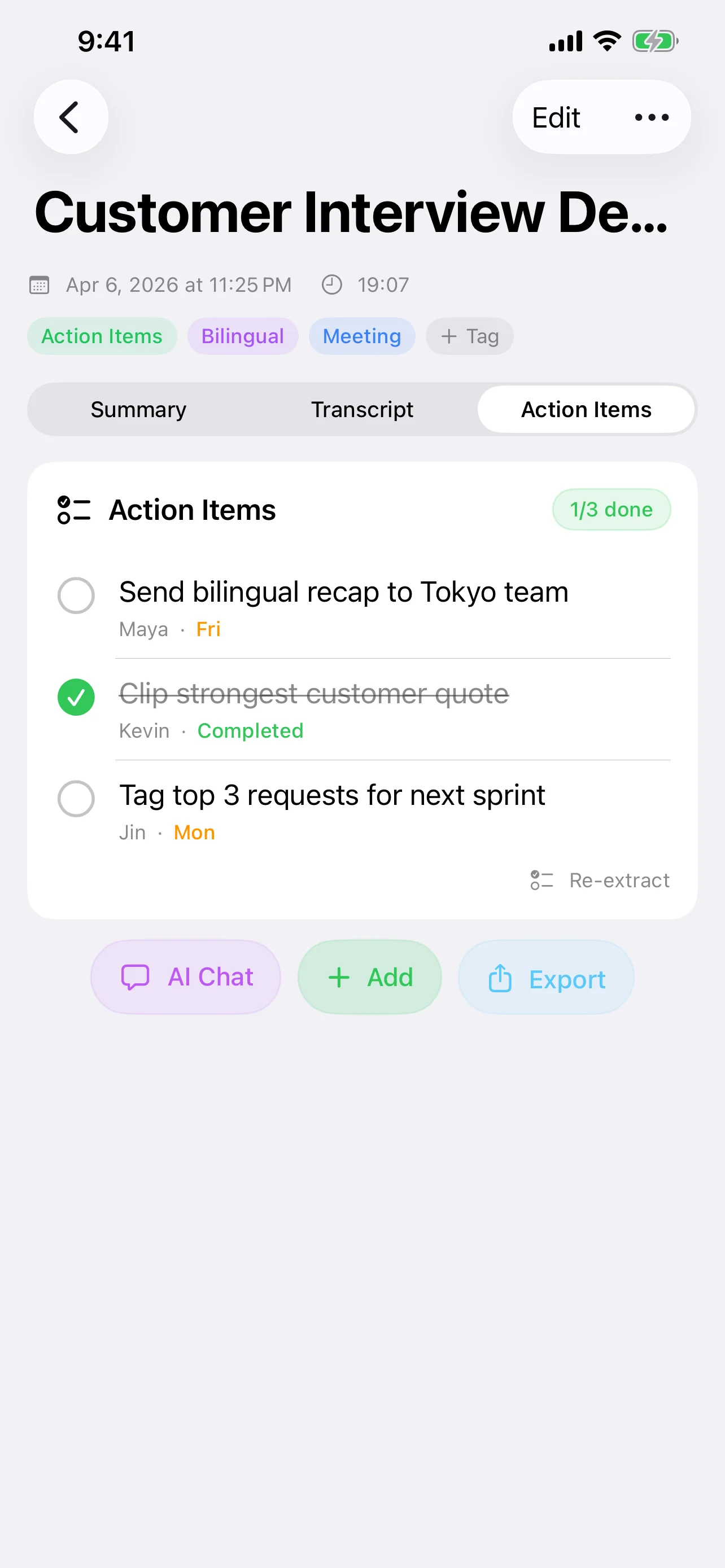
- AI summarization runs after transcription completes, generating a title, key points, and action items
You don't need to open the iPhone app. By the time you check your phone, your Watch recording is already a fully processed, searchable note.
The AI Processing Pipeline
Once a Watch recording arrives on your iPhone, Speechy's full AI pipeline kicks in:
- Transcription — On-device speech recognition converts audio to text with automatic punctuation.
- Speaker recognition — If multiple people were talking, the system separates and labels different voices.
- AI Summary — A structured summary with title, bullet points, and detailed overview.
- Action items — Commitments and follow-ups are extracted into a checklist.
- Keywords — Auto-tagged for easy search later.
Best Use Cases
Meetings — Walk into a meeting, tap your Watch, and focus on the conversation. No visible phone on the table, no distractions.
Ideas on the go — Capture a thought during a jog or commute. By the time you're at your desk, it's already a typed note.
Interviews — Discreet recording during field interviews or research conversations.
Voice journal — End-of-day reflections recorded from your wrist, automatically organized into your notes library.
Tips for Better Watch Recordings
- Speak naturally — The Watch microphone is optimized for voice at arm's length. No need to hold it up to your mouth.
- Minimize background noise — Quieter environments produce dramatically better transcriptions.
- Keep your iPhone nearby for faster sync — Bluetooth range is sufficient; Wi-Fi isn't required.
- Use complications for instant access — Add Speechy to your watch face for one-tap recording.
How Speechy Compares to Voice Memos
Apple's built-in Voice Memos records audio — and that's where it stops. Speechy takes the recording through a complete processing pipeline:
- Voice Memos: Records audio. Manual playback only. No transcription, no search, no AI.
- Speechy: Records audio → auto-transcribes → AI summary → action items → keyword tags → searchable notes → export to SRT/VTT/text.
The difference is between a raw audio file and an intelligent, actionable document.
Privacy on Your Wrist
Watch recordings follow the same privacy-first approach as all Speechy features. Transcription and AI processing happen on-device by default. Your voice data doesn't leave your Apple ecosystem unless you explicitly choose a cloud AI provider.
Try Speechy Free
Available on iPhone, iPad, and Apple Watch