
How to Turn Meeting Recordings into Action Items with AI
Learn how AI-powered transcription can transform hour-long meetings into concise summaries, key decisions, and actionable to-dos — all from your iPhone.
The Problem with Meeting Notes
We've all been there: a 60-minute meeting ends, and no one is sure who agreed to do what. Traditional note-taking forces you to choose between participating and documenting. You can't do both well.
AI transcription changes this equation entirely. Instead of scribbling fragments, you record the full conversation and let AI extract what matters — summaries, decisions, and action items — automatically.
How AI Meeting Transcription Works
Modern on-device speech recognition has reached a turning point. With Apple's latest SpeechAnalyzer framework, transcription happens entirely on your device — no audio leaves your phone, and accuracy rivals cloud services.
Here's the typical workflow:
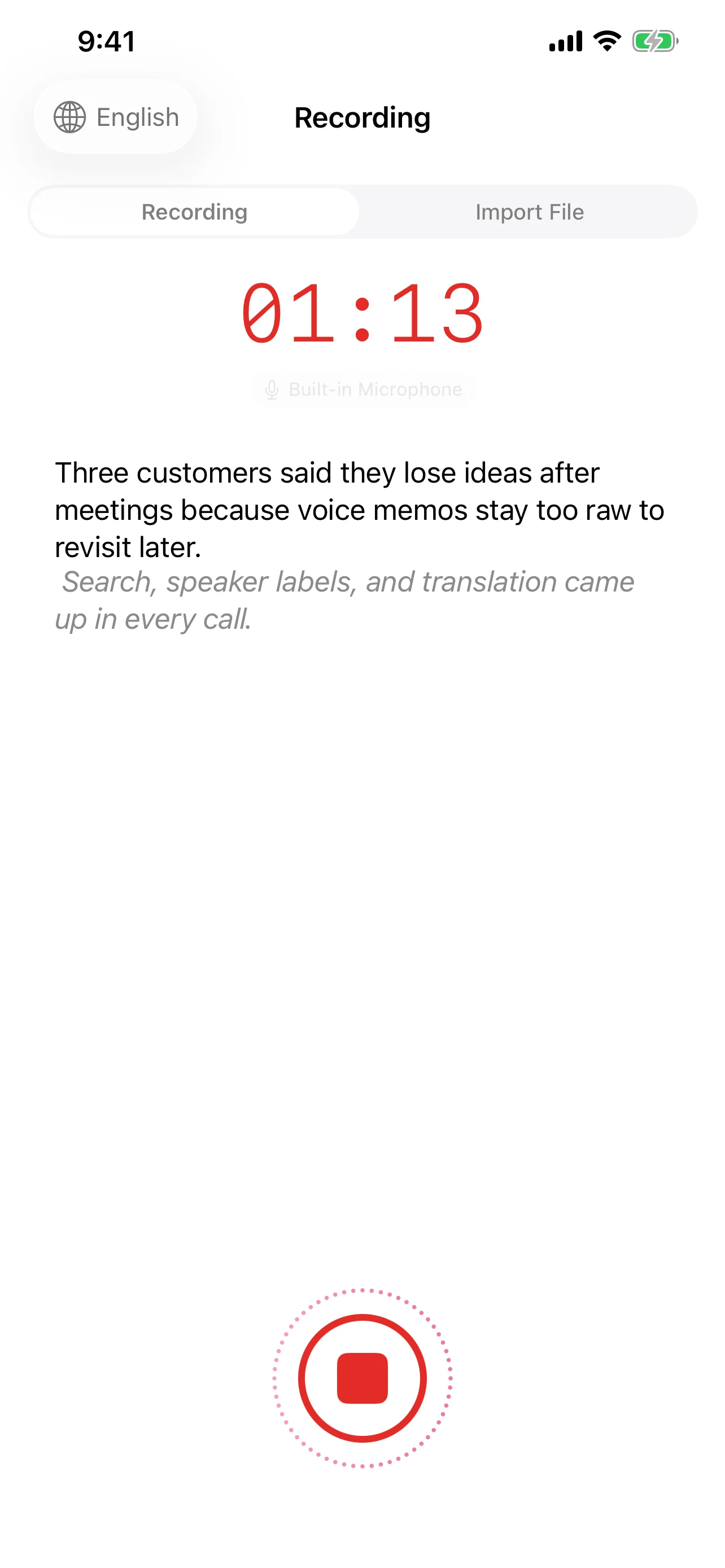
- Record — Tap once to start. Speechy captures high-quality audio in M4A format while you focus on the conversation.
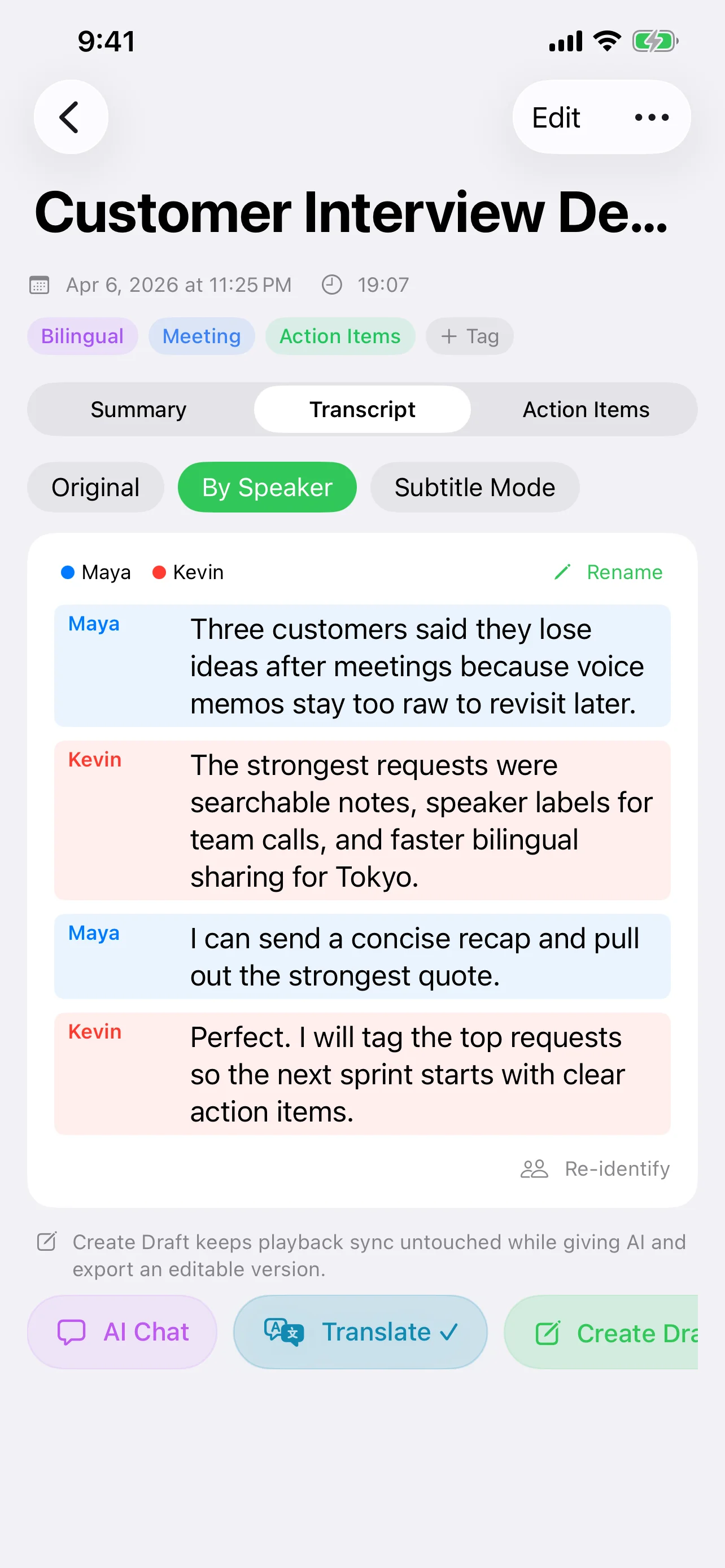
- Transcribe — Speech is converted to text in real time or after the meeting. Speaker recognition labels who said what.
- Summarize — AI reads the full transcript and generates a structured summary: title, key points, and a detailed overview.
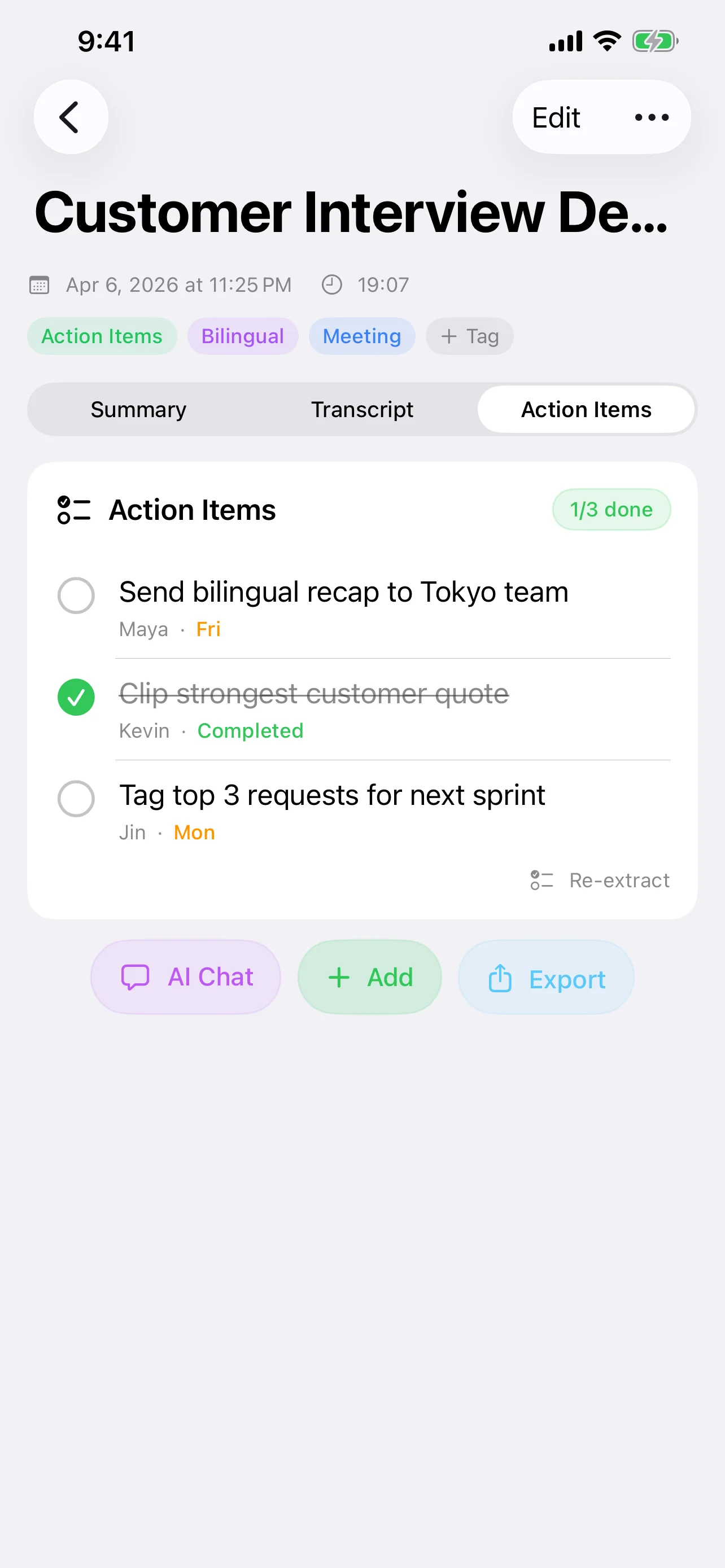
- Extract actions — The AI identifies commitments, deadlines, and follow-ups, turning them into a checklist you can act on immediately.
Speaker Recognition: Know Who Said What
In meetings with multiple participants, knowing who said something is just as important as what was said. Speechy uses offline speaker diarization to separate and label different voices, displayed with color-coded segments. You can rename speakers after the fact for cleaner notes.
Choose Your AI Engine
Not all meetings are equal. A quick standup might only need a basic summary, while a strategy session needs deep analysis. Speechy lets you choose from multiple AI providers:
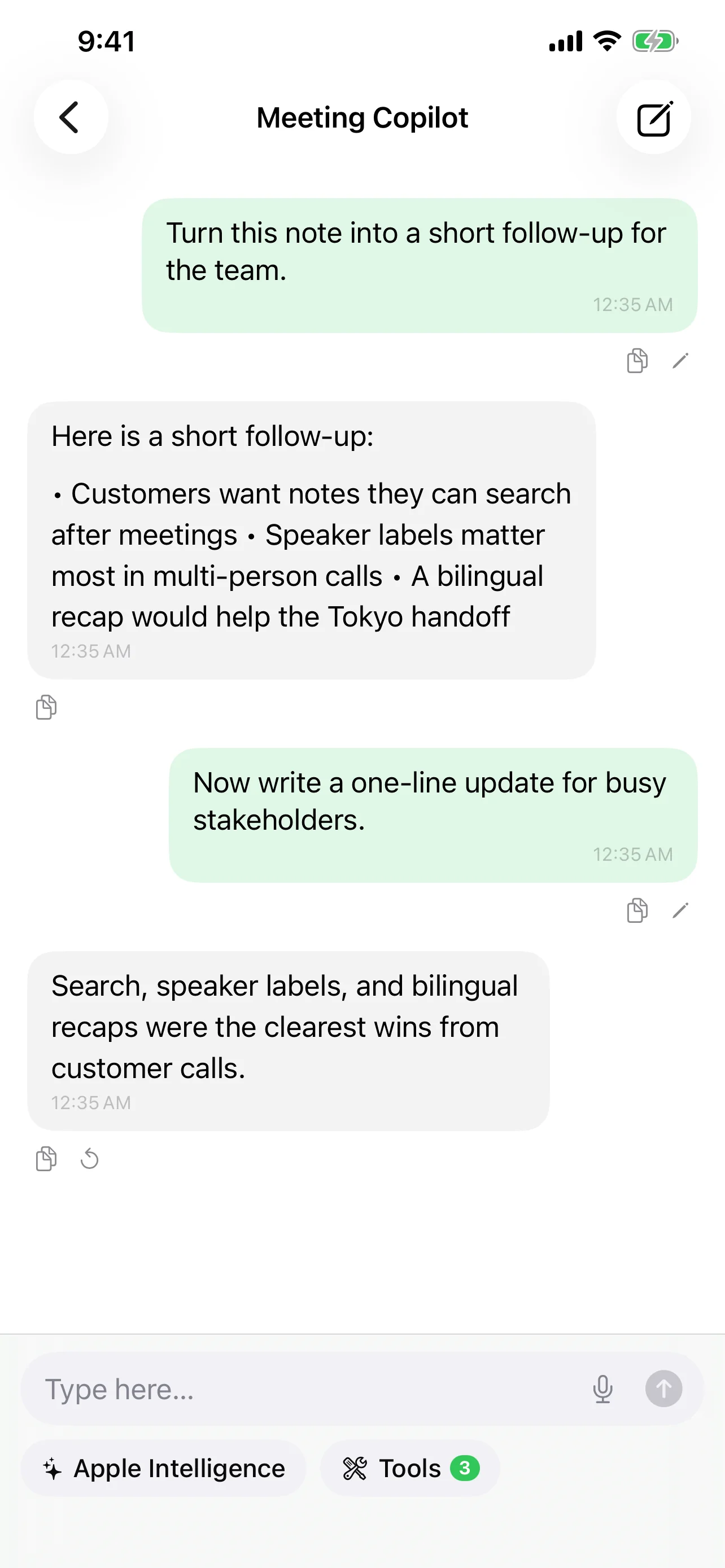
- Apple Intelligence — On-device, private, instant. Best for everyday meetings.
- Local models (MLX) — Run Qwen, Gemma, or Llama models directly on your device for offline use.
- Cloud AI — GPT-4.1, Claude Sonnet, Gemini 2.5 — for complex, long-form analysis when you need maximum accuracy.
From Transcript to Action: A Real Example
Consider a 45-minute product review meeting. Without AI, you might leave with vague recollections. With Speechy's AI pipeline:
- Summary: "Product review meeting. Team agreed to delay v2.1 launch by one week. Three critical bugs need fixes before release."
- Action items:
- Sarah: Fix login timeout bug — due Thursday
- Mike: Update release notes for v2.1
- Team: Re-review on Friday 3pm
- Keywords: v2.1, launch delay, login bug, release notes
Tips for Better Meeting Transcriptions
- Place your device centrally — Closer to speakers means clearer audio and better recognition.
- Use an external mic for large rooms — iPhone's mic is excellent for small groups; larger meetings benefit from a dedicated microphone.
- Let the AI correct the transcript — Speechy's AI can fix recognition errors, proper nouns, and technical terms after transcription.
- Review action items immediately — Share the extracted to-dos with your team while context is fresh.
Export and Share
Once your meeting is processed, you can export the transcript as plain text, subtitles (SRT/VTT), or share directly through iOS. The original audio stays linked, so you can always tap a line to hear the exact moment it was said — like a karaoke-style playback for meetings.
Privacy First
Meeting recordings often contain sensitive information. With on-device transcription and local AI models, your audio never has to leave your phone. For teams in regulated industries — healthcare, legal, finance — this isn't just convenient, it's a compliance requirement.
Try Speechy Free
Available on iPhone, iPad, and Apple Watch